
AI in SEO is often discussed as if it should replace part of the job.
I don’t think that’s the most useful way to look at it.
For technical SEO, the value is not asking an LLM to “find insights” in a vague way. The value is using it to move faster between a precise question and finding the right crawl, log, or ranking data.
If I’m preparing a monthly review, I don’t need AI to decide what matters. I need it to help me reach the data faster, test a few angles, and spend more time on prioritization.
At Oncrawl, we’ve built two ways to do this and therefore two ways to answer your SEO questions. Although they may look similar on the surface, they’re not.
AI Assistant vs the MCP server
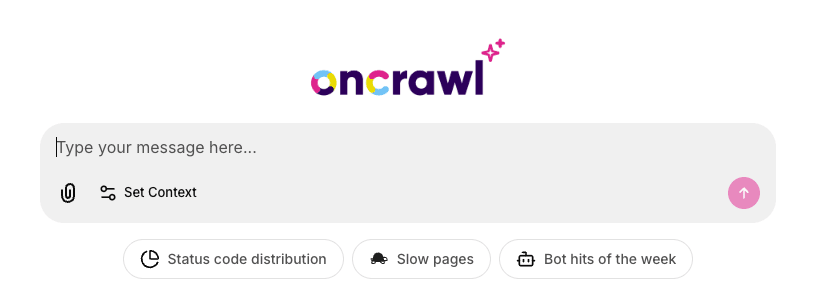
The first is the Oncrawl AI Assistant, which lives inside the app. You click Ask AI and start chatting.

The AI Assistant is not just “MCP in a chatbot”. It has product features that make the experience easier inside Oncrawl.
You can use the Set context feature to select the workspace, project, crawl configuration, and crawl you want the model to use. Without context, the LLM may try to guess which crawl you mean.
You can also upload CSV or JSON files directly in the chat and join them with crawl data.
For example, you can combine Oncrawl data with keyword exports, analytics data, revenue data, URL lists, or business-priority pages.
The AI Assistant can also display charts directly in the conversation and generate full CSV exports when the chat preview is not enough.
The second option is the Oncrawl MCP Server. This one lives outside Oncrawl, in whichever AI environment you already use: ChatGPT, Claude, Cursor, Copilot, custom agents. You connect it once and your AI client can query Oncrawl data through it.
The choice isn’t about which one is more powerful since they access the same data, with the same permissions, from the same Oncrawl account. The choice is more about how you want to work.
Let’s say you’re auditing a site and want to stay close to the data, the AI Assistant is the easier path. No setup, no context to wrangle, no API tokens. Ask a question, get a chart, drill down, export.
On the other hand, if you’ve already built your work around an AI client and want Oncrawl data inside that workflow, the MCP server makes more sense.
It is also the right option for automation and building agentic workflows. It would be useful for setting up an agent that will make daily checks of your ranking or server logs data in order to detect anomalies and trigger slack notifications.
For most people, the choice about how you want to work will eventually change. Start in the Assistant then move to MCP when you need to automate your workflow or you need more control.
The part nobody tells you about LLMs and SEO data
I think it’s important to clearly explain how LLMs work and where the limits are because there is a lot of misinformation out there. There are certain things I’ve learned from building these tools and watching people use them.
LLMs don’t know your context until you give it to them
This may sound obvious, but it isn’t. If you ask “what’s wrong with my site,” the model has to guess which project, which crawl, and which view.
Sometimes it guesses right, but it’s still a guess. Often it picks the latest crawl across any project you can access, which may not be the one you wanted. The Set context button was built for this exact reason.
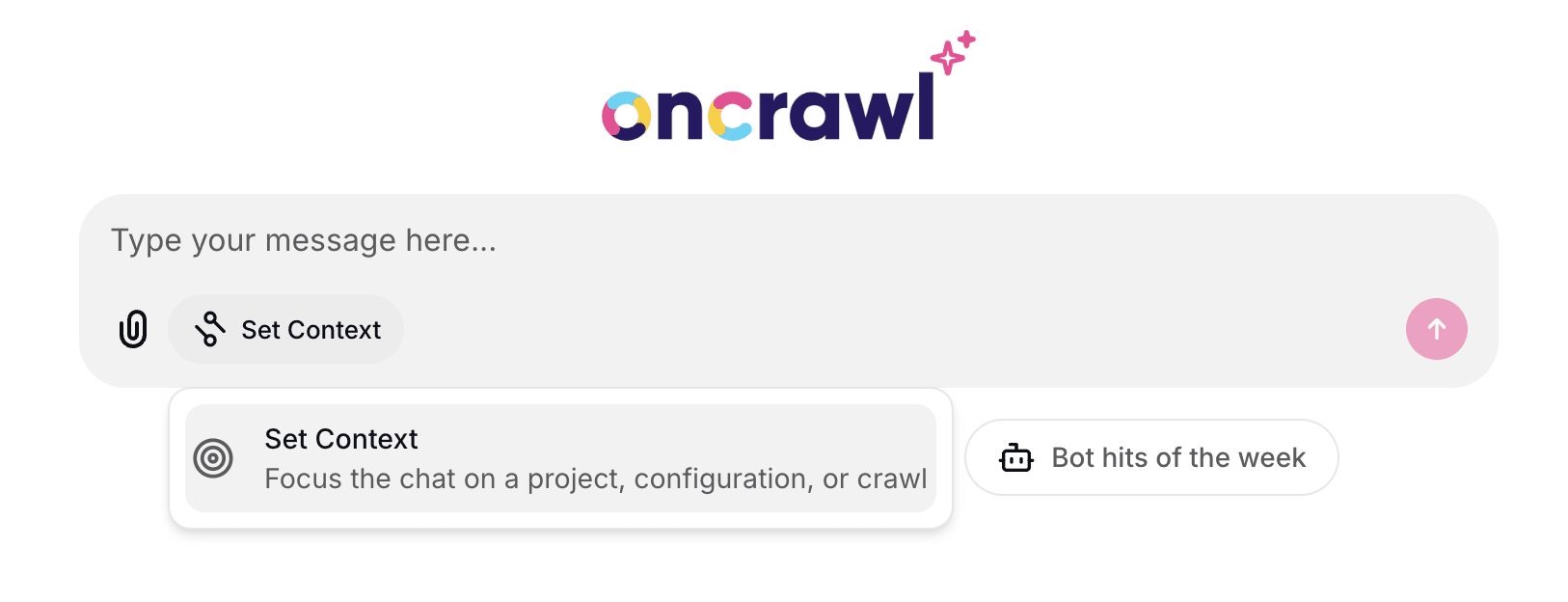
With the MCP, you set it in the prompt. Either way, the first thing to do is tell the AI exactly which data to look at.
They struggle with URL/keyword-level data at scale
An LLM can read a clean aggregated table of fifteen page groups and tell you something useful. Hand it a data dump of two million URLs and it will read the first few rows, miss the pattern, and confidently summarize the sample as if it were the whole dataset.
This is not a bug you can prompt your way out of. It’s how context windows work. The fix is to start with aggregated data: counts by page group, status code distribution, average depth, sum of clicks or impressions by query groups. Once you see the shape of the problem, then drill down to specific URLs.
They will use field names that don’t exist
Ask for “the average pagerank by category” and the model may invent a field that sounds plausible and subsequently ship a broken query.
The fix takes one extra step. Before writing the query, ask the AI to list the fields available for that dataset. Both the Assistant and MCP can do this. It takes ten seconds and removes most of the friction.
LLMs are not the source of truth
The LLM helps users query, summarize, and interpret data; however, the source of truth remains Oncrawl data.
For anything that ends up in front of leadership or a client, validate against the Oncrawl reports, the charts, the export, the API. Sometimes a Python script is more reliable than asking the model to reason over a large dataset in chat, and that’s fine. The point of AI here isn’t to be the final word, it’s to get you to the right question faster.
None of this means AI isn’t useful for SEO. It means the people who get the most out of it know where to point it.
Some best practices to keep in mind
When you put it together, the working method is short.
Set the context first
Tell the AI which project, which crawl, and which configuration. The Assistant makes this a button. In an MCP client, write it into the prompt or ask the AI to run the get_context_user tool before doing anything else.
Start with aggregated metrics
Ask for breakdowns by page group, page type, depth, status code, indexability status. Look at the shape before you go to the rows.
Inspect the available fields
Ask the AI to list what it can filter and aggregate on for the dataset you’re querying. Then write the query.
Be precise at the URL/keyword-level
Specify the filter, the metric to sort on, the order, the number of rows, the columns you want, and whether you need a CSV export.
Here’s what the difference looks like in practice.
A vague prompt:
“Show me the URLs with problems.”
A precise one:
“Give me the top 20 URLs by Googlebot hits, sorted descending, filtered on 5xx status codes only. Return URL, status code, page group, depth, Inrank, and Googlebot hits.”
The first gets you a guess while the second gets you something you can put in a slide.
What MCP changes for SEO workflows
For years, SEO workflows have been built around exports, dashboards, APIs, and manual checks. You move from a question to a report, from a report to a filter, from a filter to an export, and then you start analyzing.
MCP changes the shape of that workflow. It gives AI tools a way to connect to the systems where SEO data already lives: crawl data, log data, analytics data, rank tracking, CMS data, internal databases, or monitoring tools.
The value is not that the model suddenly becomes an SEO expert; it’s that it can help you query the right source, retrieve the right dataset, summarize the pattern, and prepare the next step without forcing you to rebuild the same path every time.
But this only works if the question is precise.
“Find SEO issues” will not get you very far.
“Compare Googlebot hits by page group between the last two crawls and highlight sections with a drop in crawl activity” is much closer to how this should be used.
AI for SEO data is not a magic button, it’s a workflow.
The people getting value from it are not the ones asking the most generic questions. They are the ones who know what they want to investigate and use AI to remove the friction between the question and the data.